

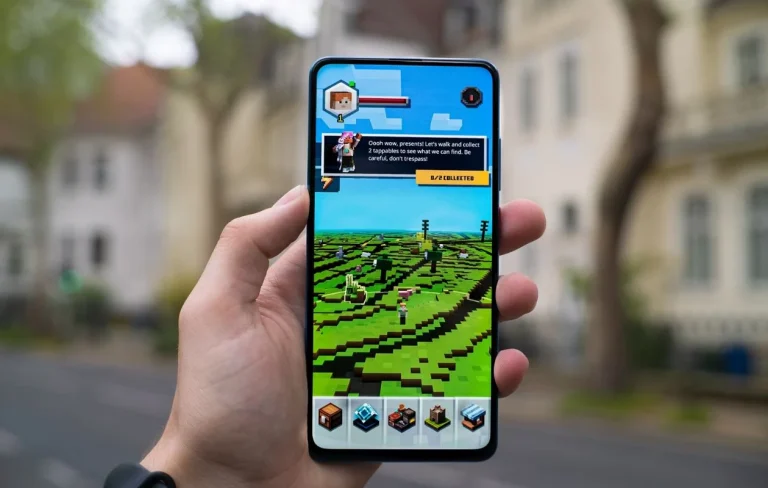
The Google Play Instant Games offers a wide selection of mobile games for both Android devices and Windows-based PCs. If you’re an Android user, you can even enjoy your favorite games on your PC with Play Games for PC. But did you know there’s another way to play games on your smartphone without downloading them?
Introducing Instant Plays—this feature allows you to enjoy numerous full-sized games directly on your device without the need to download them. To get started, you’ll need the Google Play Games app, which you can easily install from the Google Play Store. In this article, we’ll guide you through everything you need to know about Google Play Instant Games.
How to Access Google Play Instant Games
To access Google Play’s Instant Games, you’ll first need to install the Google Play Games app. Simply download it from the Google Play Store or click here to install it. Once installed, sign in with your Google account to start using the app. The Play Games app lets you track all the games you’ve played, add friends, and monitor your achievements across games.
To find Instant Plays, just scroll down within the Play Games app, and you’ll see a section labeled “Instant Plays.” Tap on any game, and it’ll launch immediately—no download required.
Keep in mind that you’ll need an active mobile data or Wi-Fi connection to play these games.
Let’s dive into the full list of games available through Google Play Instant Games for Android smartphones!

Google Instant Play Games List
- 2048
- Alchemy Merge
- Antimine: no guess minesweeper
- Apple Spider
- Astral Light
- BHoles: Color Hole 3D
- Big Shark
- Block Out (Brickshooter)
- Blue Defense: Second Wave!
- Box Blocks
- Brick Pang
- Bricks breaker Hit- Glow Ball
- Bricks Melody Balls
- Brutal Hockey
- Bubble Shooter 3 Ultimate
- Bunny Goes Boom! Flying Game
- Candy Match
- Castle Rush: Animals Wat
- Color Crush : 3D: Ball Bump Game
- Connect Me- Logic Puzzle
- Crosswords (Fill+Ins+Chainword)
- Cryptex
- Draggled
- Dragon, Fly!
- Draw Runner
- Faster!
- Filomino- Color by Number
- Ghost Jump Go!
- Haunted Dorm
- HEX: War of Colors
- Hexa Box
- Hexa Puzzle Block
- Hexio
- Hoop Loop
- Horde Siege
- Hot Head
- Impossible Jumps
- Impossible Nine: 2048 Puzzle
- IndiBoy: Treasure Hunter Quest
- Irregular Sudoku Logic Puzzles
- Jewels Bricks Breaker
- Jungle Drift
- Junk Planet
- Klee; Spacetime Cleaners
- Knife Crush
- Land of Cowboys
- Lightning Fighter 2- retro STG
- Major Militia- War Mayhem
- Make a Square- Puzzle Game
- Makyu-san: Casual Batting Game
- Marble Mission
- Match The Tiles- Sliding Game
- Maze Escape
- Merge Box
- Merge Cars: idle Car Tycoon
- Mini Mini Farm
- Neon Bricks Master
- Nonogram Square
- Oculux
- Orixo
- Paddle Ship
- Palindrome
- Parking Puzzle Jam
- Pentas
- Quadris- timeless puzzle
- Raid Heroes: Sword and Magic
- Raid Heroes: Total War
- Random Dice
- Raze Master: Hole Cube game
- Reflex hero
- Rich Neighborhood Racing
- RingZ- colored rings puzzle
- Rolling Helix
- Rotacube
- Sky 2120
- Soccer Skills- Cup of World
- Solitaire
- Spin League
- Square Merge: Infinite 2048
- Super Drop Land
- Sweet Cookie
- Tail Race
- Tangram Puzzle Game 3 in 1
- Tap N Dunk
- Tap Tap Dash
- Trench Assault
- Tropical Bomber: Toon Rescue
- UFO99
- Underway- Tunnel Runner
- Woodcraft Mars
- Wooden Block Puzzle
- Word Mastery: Word Game
- Word tower: Connect Words
- Wordy: Collect Word Puzzle
Frequently Asked Questions
What are Google Play Instant Games?
Google Play Instant Games are full-sized mobile games that can be played directly on your Android smartphone without needing to download or install them. These games can be accessed instantly through the Google Play Games app, providing a quick and convenient gaming experience.
How do I access Google Play Instant Games?
To access Instant Games, you need to download and install the Google Play Games app from the Google Play Store. Once installed, sign in with your Google account, scroll to the “Instant Plays” section, and you can start playing games immediately without any downloads.
Do I need an internet connection to play Instant Games?
Yes, you need either mobile data or a Wi-Fi connection to play Google Play Instant Games. These games are streamed directly from the cloud, so an active internet connection is required for smooth gameplay.
Can I save my progress in Google Play Instant Games?
Yes, your progress can be saved as long as you are signed in with your Google account. Achievements and game progress are tracked through the Google Play Games app, allowing you to pick up where you left off on your device.
Are all games available as Instant Games on Google Play?
Not all games on Google Play are available as Instant Games. Only selected titles are supported, and you can find them in the “Instant Plays” section of the Google Play Games app. The list is constantly updated with new games, so be sure to check back regularly.
Conclusion
Google Play Instant Games offer a fantastic way to enjoy full-sized mobile games on your Android device without the need for downloads or installations. By simply installing the Google Play Games app, you can instantly access a variety of games, track your progress, and compete for achievements, all while saving valuable storage space on your device.
Whether you’re looking for quick entertainment or want to try out new games without commitment, Instant Games are a perfect solution. With an active internet connection, you’ll have access to an ever-growing collection of titles that can be played on the go.