

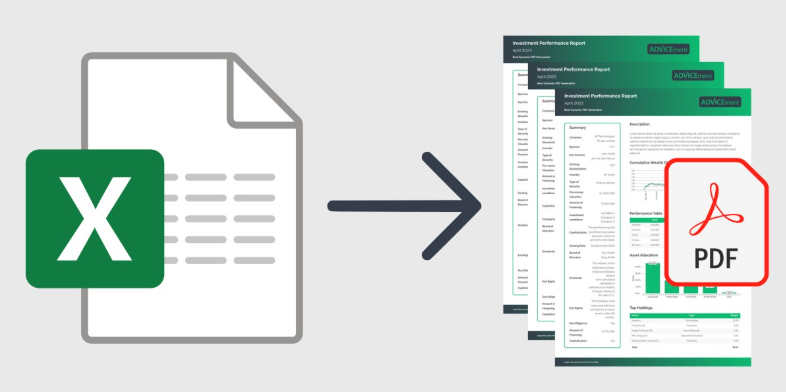
To export a Calc spreadsheet to PDF, set the print range and page scaling first so the PDF keeps your layout. For an Excel file, Adobe Acrobat’s Excel to PDF converts XLS and XLSX files online in any browser, keeps tables, rows, and columns, and deletes files unless you sign in to save.
This article is for professionals who want to turn spreadsheets into a format that is easy to share and keeps the original layout.
Excel Save Worksheet as PDF: Choosing What Gets Exported
In desktop Excel, saving as PDF lets you choose what goes into the file: the active worksheet, selected sheets, the entire workbook, or a selected range. Microsoft’s page says the options set the page to be printed and the output, and that you can pick standard quality for printing or minimum size for online use. A guide says the default exports only the active worksheet, which makes it easy to send one tab. Set the scope before you save, because a different scope exports a different file.
- Quality choice: Microsoft says Standard (publishing online and printing) suits documents that need high print quality, and Minimum size (publishing online) suits cases where file size matters more.
- Several sheets at once: a guide says holding the control key while clicking sheet tabs highlights several sheets, and exporting the active sheets puts them in one PDF.
- Old print areas: a guide warns that a print area saved earlier in the workbook can override what you see selected, so check the range before you export.
- Excel for the web: a guide lists a download as PDF route that uses the workbook’s sheet and print settings and says chart layout and custom margins may render differently from desktop Excel.
- Not available everywhere: Microsoft says Power View sheets cannot be saved as PDF files.
Excel Save or Convert to PDF and Preserve Formatting: Settings That Matter
To preserve formatting, set the print area, orientation, and scaling before you export, because the PDF follows your page setup. A guide recommends setting the width to one page so columns are not cut off, using landscape for wide tables, and repeating header rows on every page. Microsoft warns that saving in another file format can lose some formatting, data, and features, so open the finished PDF and compare it with the sheet. In LibreOffice Calc, the same control is the page style’s scale setting.
- Calc scaling modes: the Calc Guide lists reduce or enlarge the printout, fit print ranges to width and height, and fit print ranges on a number of pages, and says ranges are scaled proportionally.
- Calc print ranges: the guide says cells outside a defined print range are not printed or exported, and that sheets without a range may be left out when others have one.
- Calc page ranges: its PDF options let you export pages such as 3-6, a selection, or selected sheets, and quick export reuses the most recent PDF settings.
- Whole sheet export: the guide says this setting exports each sheet’s content as one page in the PDF.
- Gridlines: a guide says gridlines print only if you enable them, so turn them on when readers need cell borders.
Best File Formats for Sharing Spreadsheets and Retaining Layout
The best file formats for sharing spreadsheets while retaining layout are PDF for fixed pages, XLSX for editing in Excel, and ODS for LibreOffice, and the best options for producing them include Microsoft Excel, LibreOffice Calc, Google Sheets, ONLYOFFICE, and Adobe Acrobat’s Excel to PDF. A PDF keeps the page layout but not live formulas, so send XLSX or ODS to people who must edit. Microsoft says ODS might lose formatting and CSV removes all formatting. Each option below can produce a PDF, and several produce the other formats too.
| Platform | Best For | Key Details |
| Microsoft Excel | Saving a sheet or workbook as PDF | Standard or minimum size quality; exports active sheets, a selection, or the entire workbook; print area and scaling shape the layout |
| LibreOffice Calc | Exporting with fine control over pages | Print ranges and scale modes; page ranges, selected sheets, or whole sheet export; open and permissions passwords; optional hybrid PDF that embeds the ODF file |
| Google Sheets | Downloading from a shared online sheet | Google’s help lists PDF among download formats; a guide says the export exposes scaling such as fit to width and landscape |
| ONLYOFFICE | Saving a PDF from an editor on your own server | The ONLYOFFICE Docs repository lists saving as PDF in its Community, Enterprise, and Developer editions |
| Adobe Acrobat (Excel to PDF) | Converting XLS or XLSX without opening Excel | Works in any browser; keeps tables, rows, and columns; deletes files unless you sign in to save; signed in users can share the PDF for comments |
PDF: use it for readers, since it fixes the layout and the page breaks you set.- XLSX: use it when Excel users edit, and keep a PDF copy for people who only read.
- ODS: use it for LibreOffice workflows, and test it in Excel for the web, where Microsoft says some names and chart elements are not supported.
- CSV: use it only for values, because Microsoft says it saves the active worksheet’s text and values without formatting.
- Archiving: a guide says PDF/A is the option to consider for long term archiving.
- Sharing the PDF: Adobe’s page says signed in users can share the PDF for comments, replies, and mentions.
Frequently Asked Questions
Can I keep my spreadsheet data editable inside the PDF?
In Calc, yes, with a hybrid PDF. The Calc Guide says the hybrid option exports a file that contains two formats, PDF and ODF, so the recipient sees a normal PDF while the spreadsheet data stays embedded. The file gets larger, and other viewers show only the PDF. Without that option, a PDF holds the layout and values but not working formulas.
Can I protect a PDF exported from Calc with a password?
Yes. The Calc Guide describes two kinds: an open password, so the PDF can only be opened with it, and a permissions password, so anyone can open the file but its permissions can be restricted. It warns that permission settings work only if the reader’s PDF viewer respects them. Set the open password when the content is confidential, and keep an unprotected master.
Why does my PDF cut off columns, and how do I stop it?
The page is too narrow for your columns at the current scale. Set the scaling so the sheet fits one page wide, switch a wide table to landscape, and check that your print range includes every column. The Calc Guide says its fit to width and height mode scales proportionally, so the page count may come out lower than you set. Then open the PDF and check the last column.
Which options let me convert an Excel file without opening a spreadsheet app?
Use a converter that runs in your browser. Adobe’s page says its converter takes XLS and XLSX files in any browser and keeps tables, rows, and columns, and a guide says Google Sheets can open an uploaded workbook and download it as PDF. Both handle your file on their servers, so convert sensitive workbooks locally in Excel or Calc instead.
To export a Calc spreadsheet to PDF, set the print range and scaling first, choose what to export, and open the PDF to confirm that the layout held.