


PCs and external storage devices like pen drives are commonly used to store and transfer data in the form of files and folders. However, they can be vulnerable to malware such as viruses, which can compromise system data and personal information. One common issue many face is the shortcut virus, which converts files and folders into 1KB shortcuts, making them inaccessible. This often occurs during file transfers using a pen drive. Here’s how to remove the shortcut virus from your PC or pen drive effectively.
While several shortcut virus remover tools are available, they may not always be reliable and can sometimes result in data loss. To avoid this, it’s crucial to use proven and effective methods. One such method involves using simple CMD commands to safely remove the shortcut virus from your devices. Additionally, we’ll also explore using shortcut virus remover software as an alternative. Follow this guide to protect your data and eliminate the shortcut virus efficiently.
How to Remove Shortcut Virus from Pendrive & PC
The shortcut virus can often cause frustration by turning your files into 1KB shortcuts. Luckily, there are effective methods and software available to remove the shortcut virus and recover your files.

Remove Shortcut Virus Using CMD
CMD (Command Prompt) is a powerful tool available on almost all operating systems, offering full control over your system. It’s a simple and effective way to remove the shortcut virus without needing any technical expertise. Just follow the steps below:

- Step 1: Open Run, type CMD, and hit Enter. Alternatively, search for CMD and open it.
- Step 2: The Command Prompt window will open.
- Step 3: Type the following command and hit Enter:
attrib -r -a -s -h /s /d G:\*.*
(Note: Replace G: with the drive letter of your affected drive, like E: or F:.) - Step 4: To delete the shortcut files, type the drive letter (e.g., G:) and hit Enter, then type:
del *.Inkand press Enter. - Step 5: Your files will be restored to their original form and size.

This method is quick and doesn’t require any third-party software or antivirus. If this solution doesn’t work, try the next methods.
Remove Shortcut Virus Using Antivirus
Antivirus software is essential for protecting your system from viruses and malware. It can also help detect and remove shortcut viruses from your system and external devices like pendrives.
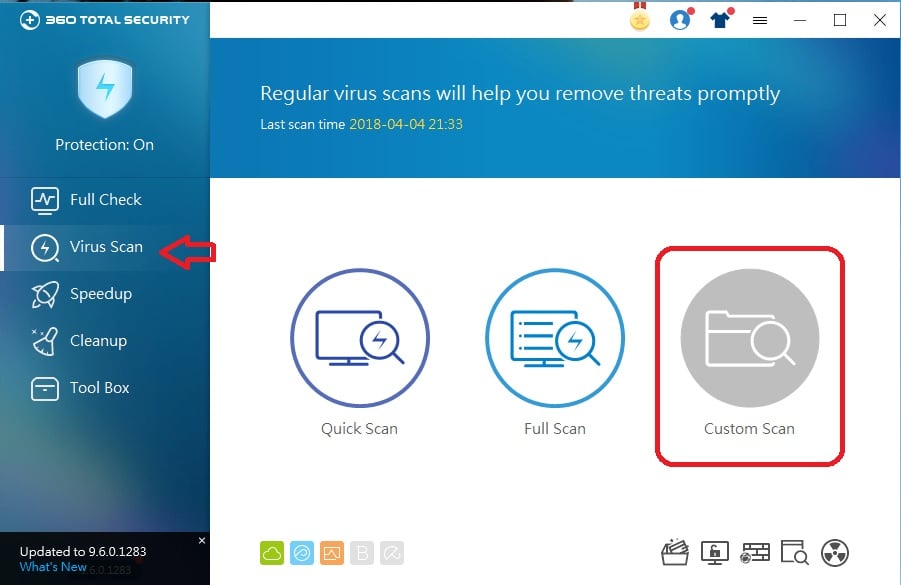
- Step 1: Open your antivirus software (e.g., Windows Defender, Quick Heal, etc.).
- Step 2: Scan the affected drive or pendrive where the shortcut virus is located.
- Step 3: Once the scan is complete, the antivirus will remove the shortcut virus and recover your original files.

This is a reliable method, especially if you already have antivirus software installed. If you don’t want to use an antivirus, continue reading for alternative solutions.
Remove Shortcut Virus Using Shortcut Virus Remover Software
There are several shortcut virus remover tools available that are specifically designed to remove shortcut viruses from your system or external storage. Here’s how you can use them:
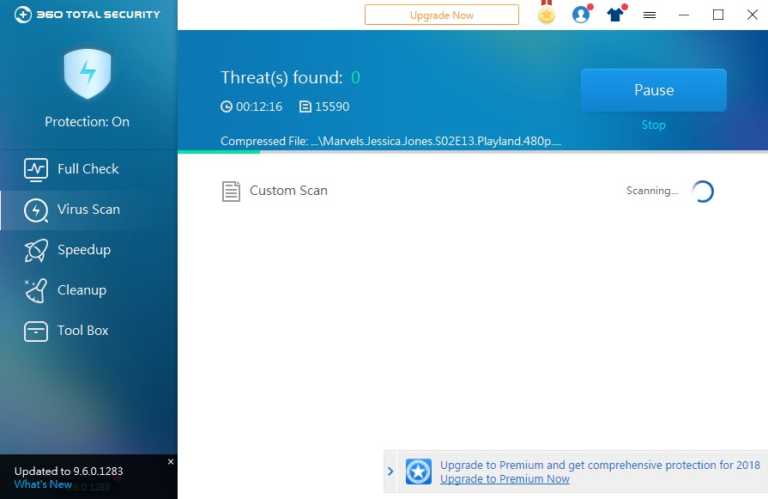
- Step 1: Download and install a reputable shortcut virus removal tool (e.g., Shortcut Virus Remover, Shortcut Virus Fixfolder, etc.).
- Step 2: Follow the instructions provided by the software on their website or tutorial to scan and remove the virus.

Using these tools, your files and folders will be recovered, and the shortcut virus will be eliminated.
Frequently Asked Questions
What is a shortcut virus and how does it affect my Pendrive?
The shortcut virus is a type of malware that converts files and folders on your Pendrive into shortcuts, often making them inaccessible. It typically spreads when transferring files between devices, turning important files into 1KB shortcuts that cannot be opened.
How can I remove the shortcut virus from my Pendrive using CMD?
To remove the shortcut virus using CMD, follow these steps:
- Open Command Prompt by typing “CMD” in the Run box and pressing Enter.
- Type the command:
attrib -r -a -s -h /s /d G:\*.*(replaceG:with the letter of your Pendrive). - Press Enter, and your files should be restored to their original form, free of the shortcut virus.
Can antivirus software help in removing the shortcut virus from my Pendrive?
Yes, antivirus software can help detect and remove the shortcut virus from your Pendrive. Simply scan your Pendrive with an antivirus program, and it will identify and eliminate the virus, recovering your original files.
What if CMD and antivirus software don’t work to remove the shortcut virus?
If CMD and antivirus software do not remove the shortcut virus, you can use specialized shortcut virus remover software. These tools are designed specifically to target and remove shortcut viruses, restoring your files in the process.
Will my files be safe after removing the shortcut virus from my Pendrive?
In most cases, your files will be safe after removing the shortcut virus, especially if you use CMD or reliable antivirus software. However, if the virus has caused data corruption, you might need a data recovery tool to retrieve lost files. Always ensure that your files are backed up to avoid permanent data loss.
conclusion
Dealing with a shortcut virus on your Pendrive can be frustrating, but it’s not insurmountable. Using the CMD method, antivirus software, or specialized shortcut virus remover tools, you can effectively eliminate the virus and restore your files.
The CMD method is a quick and reliable approach that doesn’t require any additional software, making it the go-to solution for most users. Antivirus software adds an extra layer of protection, ensuring your system and Pendrive remain secure from future infections. Lastly, specialized tools can be helpful when other methods fail.
By following these methods, you can permanently remove the shortcut virus and safeguard your important data. Always practice good digital hygiene by scanning external drives regularly, avoiding unknown sources, and maintaining backups of critical files. Prevention is key to keeping your devices and data safe!