


TV remotes are essential for controlling your television, adjusting settings, and interacting with your Smart TV. However, issues can arise when the remote is broken, lost, or unavailable in the market. Fortunately, for Sharp Smart TVs, you can easily use other Sharp TV remotes to control your TV. This guide will walk you through how to program a Sharp TV remote with ease—without needing to search for codes.
While universal remotes work, why settle for one when you can program almost any Sharp remote to work with your Sharp Smart TV? The process is simple, quick, and doesn’t require any complex setup. Let’s dive into the steps.
Steps to Program a Sharp TV Remote
- Connect your Sharp Smart TV to a power source and turn it on using the power switch.
- Ensure fresh batteries are installed in your Sharp Smart TV remote.
- Point the remote directly at the TV.
- Press and hold the Menu button (three horizontal lines) on the remote for about 3 seconds.
- If successful, a message will appear on the screen stating that the remote is paired with the TV.
- If unsuccessful, keep repeating the process until you see the success message.
- Once paired, you can use the remote to control your TV, with most buttons functioning as expected.
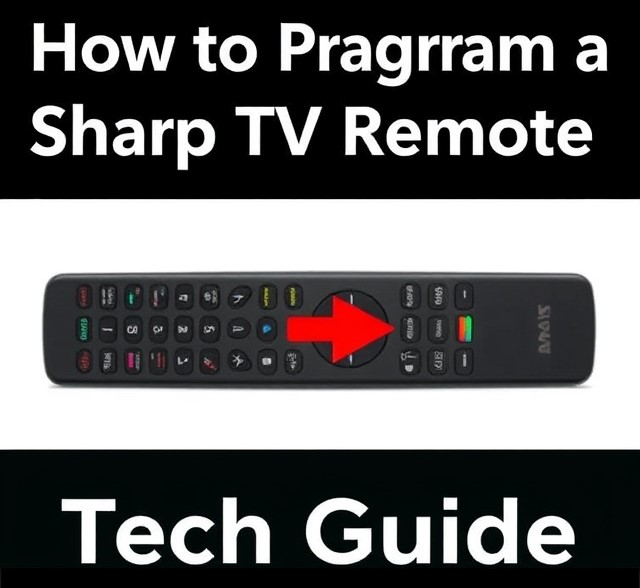
Why You Need to Program Your Sharp TV Remote
Whether you’ve just purchased a Sharp TV or you’re simply replacing a lost remote, the idea of programming it can seem daunting at first. You might find yourself thinking, “Do I need a new remote?” or “Is this even possible?” But here’s the good news: programming a Sharp TV remote is a skill you can master in minutes. It might not be as complicated as you think.
The remote programming process ensures that your Sharp TV responds to its dedicated remote, and not just any universal one. It improves your control over your TV experience, from volume control to switching channels. More than that, it can save you time when you don’t have to navigate complicated menus on the screen.
Common Sharp TV Remote Codes
Find the Right Code
This is the trickiest part, but don’t fret! Sharp TV remote codes are typically a series of numbers that tell the remote how to communicate with your specific TV model. Each model may have a different code, so be sure to check your Sharp TV manual for the exact codes.
Here are some of the most common Sharp TV remote codes to try:
- 001, 003, 005, 007
- 015, 017, 021, 023
If you don’t have the manual, don’t worry – these are often the first set of codes to try. Once you’ve found a code, input it into the remote.
| Remote Type | Sharp TV Codes |
|---|---|
| Universal Remote | 004, 017, 019, 049, 053, 060, 084, 108 |
| Sharp TV Original Remote | 1001, 1015, 1016, 1100 |
| Direct TV Remote | 1004, 1023, 1001, 1015 |
| Comcast Remote | 10178, 11756, 10156, 11912 |
| RCA Universal Remote | 10178, 10250, 10702, 11992 |
Test the Code
Now, the fun part: testing the code. After entering the code, press the “Power” button on your Sharp TV remote. If the TV turns off, you’ve successfully programmed your remote! If not, you’ll need to try a different code from the list.
Using Your Sharp TV Remote After Programming
Once you’ve successfully programmed your Sharp TV remote, it’s time to make the most of it! With your remote now synced, you can easily control volume, channels, and settings without any hassle.
For those using a universal remote, you can now control other devices like DVD players or sound systems. Just ensure that you’ve programmed the correct codes for each device, and your multi-device control will work perfectly.
Frequently Asked Questions
How do I program my Sharp TV remote without a code?
If you don’t have the programming code for your Sharp TV, you can use the auto-search method. To do this, press and hold the “TV” button on the remote, then press and hold the “On/Off” button until the TV turns off. This may take several minutes, but the remote will automatically search for the correct code for your Sharp TV.
What should I do if the Sharp TV remote isn’t working after programming?
If the remote isn’t responding after programming, ensure that the correct code was entered. You can try reprogramming the remote using the auto-search method or check if the batteries are fresh and properly inserted.
How do I find the programming code for my Sharp TV?
You can find the programming code for your Sharp TV by consulting the remote’s manual or looking online for Sharp TV codes specific to your remote model. The code is a series of numbers that corresponds to your TV brand.
Can I program my Sharp TV remote to control other devices?
Yes, most Sharp TV remotes can be programmed to control other devices, such as a DVD player or soundbar. You will need the code for each device, which can typically be found in the remote’s manual or online.
Why is my Sharp TV remote not responding to the programming commands?
If your remote is not responding to programming commands, check if the remote’s batteries are properly installed and not depleted. Additionally, ensure you are following the correct steps for programming and that you are entering the correct code. If issues persist, try resetting the remote or refer to the troubleshooting section in the user manual.
Conclusion
Programming your Sharp TV remote doesn’t have to be a stressful experience. By following the simple steps in this guide, you can ensure that your remote is synced up in no time. Remember, patience is key – if the first code doesn’t work, try another one. Before long, you’ll have full control over your Sharp TV again.
Whether you’re troubleshooting or simply looking to set up your TV for the first time, understanding how to program a Sharp TV remote can save you time and frustration. And, if you’re using a universal remote, you can rest easy knowing it’ll work seamlessly across multiple devices.