

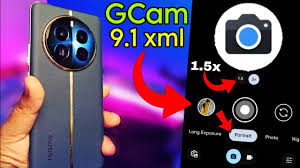
The Realme 11 Pro Plus GCam Port series has made its debut in international markets, showcasing exceptional camera technology as one of its key highlights. The flagship model, Realme 11 Pro+, features an impressive 200MP main camera, while the Realme 11 Pro is equipped with a 100MP primary sensor. Both devices deliver high-quality photography, thanks to their advanced high-resolution sensors. What’s even better is that you can enhance your photography experience by installing Google Camera on the Realme 11 Pro series. Here, you can find the Google Camera download for both the Realme 11 Pro and Realme 11 Pro+.
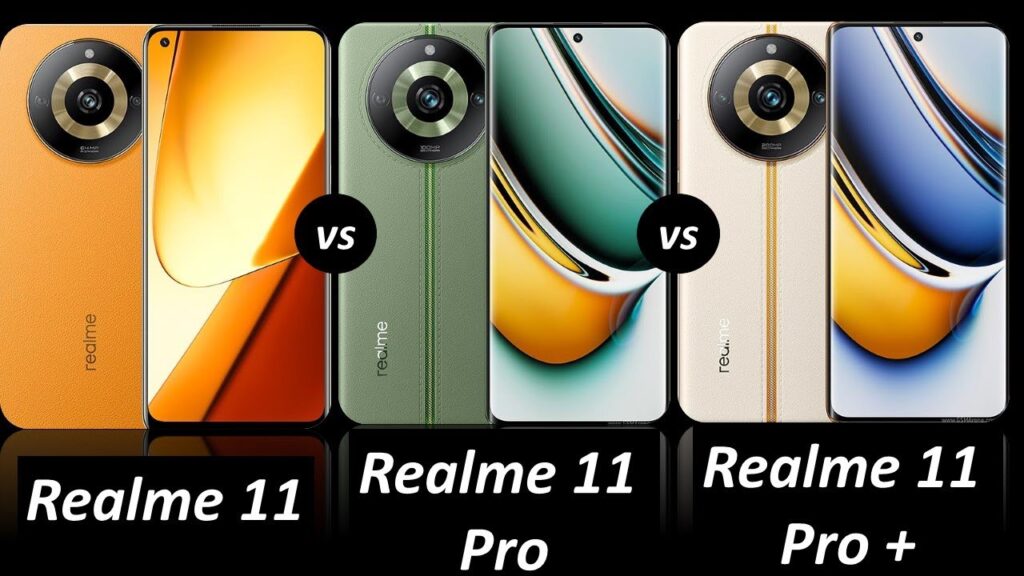
Google Camera for Realme 11 Pro+ [Best GCam 9.1]
The Realme 11 Pro+ has officially launched, showcasing a triple-lens camera system with a standout 200MP primary sensor, supported by an 8MP ultra-wide lens and a 2MP macro lens. The main sensor is Samsung’s ISOCELL HP3, a 1/1.4″ 200MP sensor equipped with Tetra cell technology, enabling the capture of ultra-high-resolution images. The camera app on the device mirrors the familiar interface found on many of Oppo and Realme’s latest models.
When it comes to performance, the Realme 11 Pro+ delivers impressive photo quality, especially in well-lit conditions, with excellent low-light capabilities enhanced by the Auto Nightscape mode in the default camera app. For users seeking more advanced photography options, the Google Camera (GCam) app is a great third-party alternative.
The Google Camera 9.1 mod port, compatible with the Realme 11 Pro series, brings an array of powerful features, such as Night Sight, Astrophotography, SloMo, and more, thanks to the dedicated efforts of the developer community. Below, we’ll walk you through the steps to download and install the Google Camera app on your Realme 11 Pro and Realme 11 Pro+.
For GCam_7.3.018_Urnyx05-v2.1_Wichaya_V3.1.1.apk
First, download the config file onto your smartphone. Next, create a new folder named GCam. Inside the GCam folder, create another folder called configs7. Paste the downloaded config file into the configs7 folder.
After that, open the Google Camera app and double-tap on the black area near the shutter button. When the popup appears, tap on the settings shown and press the Restore button. Finally, return to the app drawer and reopen the app.
To set up GCam_8.7, download the configuration file and place it in the /Downloads/MGC_CONFIG/ folder. Once completed, you’re ready to capture stunning and high-quality photos with your Realme 11 Pro and Realme 11 Pro+.
Why the Hype Around the GCam Port?
You’ve probably heard whispers in tech forums or seen stunning photos tagged #GCam on social media. But what’s behind the buzz? Google Camera (GCam), originally developed for Pixel devices, is renowned for its superior image processing algorithms. These include features like HDR+, Night Sight, and Astrophotography, which can elevate your smartphone photography from decent to jaw-dropping.
For those wielding the Realme 11 Pro Plus, a device known for its advanced camera hardware, pairing it with a GCam port is like giving wings to a phoenix. In this guide, we’ll walk you through how to get the GCam port on your phone, step-by-step, and ensure you’re capturing every moment perfectly.
Common Issues and How to Fix Them
Even with the right GCam APK, you may run into hiccups. But don’t worry, I’ve got you covered:
App Crashing
Solution: Ensure you’ve downloaded the right version of the APK for your device. Clearing the app cache can also help.
Photos Not Saving
Solution: Check the app permissions. Ensure that storage access is granted to GCam.
Lag in Night Sight
Solution: Reduce the exposure time or ensure the phone is on a stable surface.
Why GCam Outshines Stock Camera Apps
The Realme 11 Pro Plus has impressive camera specs—a 200 MP primary sensor, ultra-wide lens, and more. But even the best hardware needs superior software to reach its potential. The stock camera app does a commendable job but lacks the processing prowess of GCam.
HDR+ and the Magic Behind It
Google’s HDR+ takes multiple photos and combines them to create one perfectly balanced image. The results? Richer colors, deeper contrasts, and details in highlights and shadows that your stock app struggles to capture.
Frequently Asked Questions
What is the Realme 11 Pro Plus GCam Port, and how does it enhance photography?
The GCam port is a modified version of the Google Camera app, originally designed for Pixel devices, that can be installed on other smartphones. For the Realme 11 Pro Plus, the GCam port enhances photography by improving image processing, enabling features like HDR+, Night Sight, and advanced portrait modes, resulting in sharper and more detailed photos.
Is installing the GCam port on the Realme 11 Pro Plus safe and legal?
Yes, installing the GCam port is generally safe and legal. It is simply a third-party app that can be downloaded and installed like any other APK. However, users should only download GCam ports from trusted sources to avoid potential security risks.
How do I install the GCam port on my Realme 11 Pro Plus?
To install the GCam port, download the compatible APK file from a reliable source. Once downloaded, enable installation from unknown sources in your phone’s settings, then install the APK. Make sure to grant any necessary permissions for the app to function correctly. Adjust the settings as needed for optimal performance.
Are there any known issues or limitations when using the GCam port on the Realme 11 Pro Plus?
While the GCam port significantly improves image quality, users may encounter occasional bugs or compatibility issues, such as the app crashing or specific modes not functioning properly. These problems usually depend on the version of the GCam port and the phone’s software. Regularly updating the port or using recommended versions tailored for Realme 11 Pro Plus can help minimize issues.
What photography features can I expect to access with the GCam port on my Realme 11 Pro Plus?
By installing the GCam port, users of the Realme 11 Pro Plus can access advanced photography features like HDR+ for better dynamic range, Night Sight for low-light photography, enhanced portrait mode with edge detection, astrophotography mode, and improved color rendering and noise reduction. These features collectively enhance the overall photography experience.
conclusion
The Realme 11 Pro Plus GCam Port offers an impressive upgrade for Realme 11 Pro Plus users seeking to elevate their mobile photography. By harnessing advanced features like HDR+, Night Sight, and enhanced portrait modes, the GCam port can transform everyday shots into professional-quality images. While there may be occasional bugs or limitations, these are often outweighed by the significant improvements in image processing and photo quality. For those who value exceptional mobile photography, installing a trusted GCam port is a worthwhile step that unleashes the full potential of the Realme 11 Pro Plus camera.