

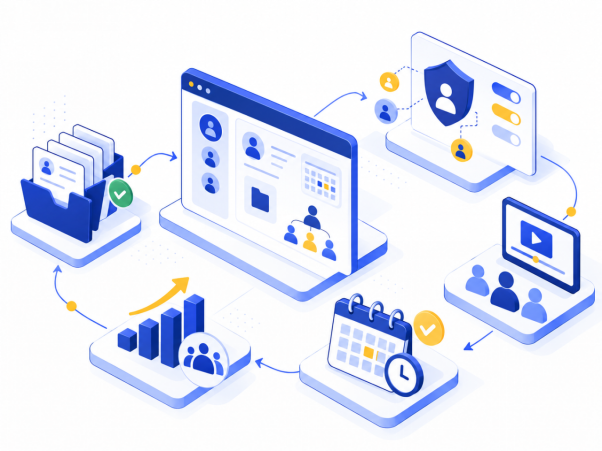
Choosing HR software is only half the decision. The other half, often underestimated, is actually implementing it: migrating employee data, setting up permissions, training the team, and making sure everyone actually adopts the new system instead of quietly sticking with old habits. This article walks through what implementation realistically looks like for a growing small business, so there are fewer surprises once the contract is signed.
Implementation Is Not Just a Technical Step
It’s tempting to think of implementation as purely a setup task: import the data, configure the settings, and you’re done. In practice, successful implementation has as much to do with how the team adapts to the new system as it does with the technical configuration itself. A platform that’s perfectly set up but that employees quietly avoid using hasn’t actually been implemented successfully, even if every setting is correct.
Keeping this in mind from the start helps set realistic expectations for how long implementation will actually take and what success looks like at the end of it.
Data Migration: Getting the Foundation Right
The first real implementation task is usually migrating existing employee data, records, leave balances, and organizational structure, into the new platform. This step deserves more attention than it typically gets, because errors introduced here tend to persist and cause confusion later.
A few things worth doing carefully during migration:
- Reviewing existing data for accuracy before migrating it, rather than assuming the source spreadsheet or old system is fully correct
- Double-checking leave balances specifically, since these are often the least reliable part of manual tracking and the most likely to cause disputes if migrated incorrectly
- Confirming reporting lines and org structure are set up correctly, since this affects permissions and approval workflows throughout the system
- Testing with a small sample of real employee data before migrating everything, to catch formatting or structural issues early
Rushing this step to get to the “exciting” part of using the new system is one of the most common implementation mistakes, since errors introduced during migration are often harder to fix once the system is live and in daily use.
Setting Up Permissions and Access
Once data is in the system, the next step is configuring who can see and manage what. This matters more as a company grows past a very small size, since not every manager should necessarily see every employee’s full record, and not every employee needs visibility into company-wide org structure.
Getting permissions right during implementation, rather than leaving everything open by default and tightening it later, avoids both the risk of sensitive information being overexposed and the disruption of changing access after people have gotten used to seeing certain information.
Training the Team, Not Just the Administrator
A common implementation mistake is focusing training entirely on whoever is administering the system, while giving little or no attention to how regular employees and managers will actually use it day to day. If employees don’t understand how to check their own leave balance or submit a request through the new system, they’ll likely keep asking managers directly out of habit, which undermines the entire point of adopting self-service tools in the first place.
Effective training usually includes:
- A short, clear walkthrough for employees covering the basics they’ll use regularly, like checking balances and submitting requests
- Specific guidance for managers on approvals and any manager-level features
- A clear point of contact for questions during the first few weeks, when most adoption issues tend to surface
Expect an Adjustment Period
Even with careful planning, there’s usually a short adjustment period where some employees default to old habits, like emailing a manager directly instead of using the new system. This is normal and doesn’t necessarily indicate a failed implementation. What matters is having a plan to reinforce the new process consistently during this period, rather than quietly allowing old workarounds to persist indefinitely.
That adjustment period tends to go more smoothly when a business is already inclined to look forward rather than brace for problems. Statistics Canada’s Canadian Survey on Business Conditions found that nearly two-thirds (65.0%) of businesses with 1 to 19 employees reported an optimistic outlook over the next 12 months, which is a reasonable backdrop for introducing a new system and expecting the team to adapt.
Platforms that integrate into tools a team already uses daily, such as Slack, Microsoft Teams, or AI assistants like ChatGPT and Claude, tend to see a shorter adjustment period, since employees don’t need to build an entirely new habit of visiting a separate portal. KollabHR was designed around that exact consideration, bringing HR access directly into tools employees already check regularly, which cuts down on the friction of adoption during implementation.
Measuring Whether Implementation Actually Worked
A few practical signs that implementation has genuinely succeeded, beyond the technical setup being complete:
- Employees are checking their own leave balances and submitting requests through the system, rather than defaulting back to asking a manager directly
- Managers report fewer routine questions landing on their desk
- Leave balances and employee records stay accurate without regular manual correction
- New hires go through onboarding using the documented workflow, rather than relying on improvised steps
If several weeks after go-live, old habits persist widely and the new system is being used only sporadically, that’s worth addressing directly rather than assuming adoption will happen naturally over time.
Conclusion
Implementing new HR software is a meaningfully different task from choosing it, and treating implementation as a quick technical formality tends to undercut the value of even a well-chosen platform. Careful data migration, thoughtful permission setup, training that covers the whole team rather than just the administrator, and a clear plan for the adjustment period all make the difference between a system that gets used consistently and one that quietly falls back into old, manual habits within a few months.
Businesses that plan for implementation as seriously as they plan for the software selection itself tend to get far more value out of whatever platform they choose, simply because the team actually adopts it the way it was intended to be used.
Frequently Asked Questions (FAQs)
How long does HR software implementation typically take for a small business?
This varies depending on team size and data complexity, but even for a small business, it’s worth planning for several weeks to properly migrate data, set up permissions, and train the team, rather than expecting an instant switch.
What’s the most commonly overlooked part of HR software implementation?
Training for regular employees and managers, not just the system administrator, is frequently underprioritized, even though it has a direct effect on whether the new system actually gets adopted day to day.
Is it normal for employees to keep old habits after implementation?
Yes, a short adjustment period is common. What matters is having a plan to consistently reinforce the new process, rather than letting old workarounds like emailing a manager directly persist indefinitely.
Why does data migration deserve special attention during implementation?
Errors introduced during migration, particularly in leave balances and org structure, tend to persist and cause confusion later, so it’s worth reviewing and testing data carefully before fully migrating it.
How can a business tell if HR software implementation was successful?
Signs of successful implementation include employees actually using self-service features regularly, fewer routine questions landing on managers, and accurate records that don’t require frequent manual correction.