

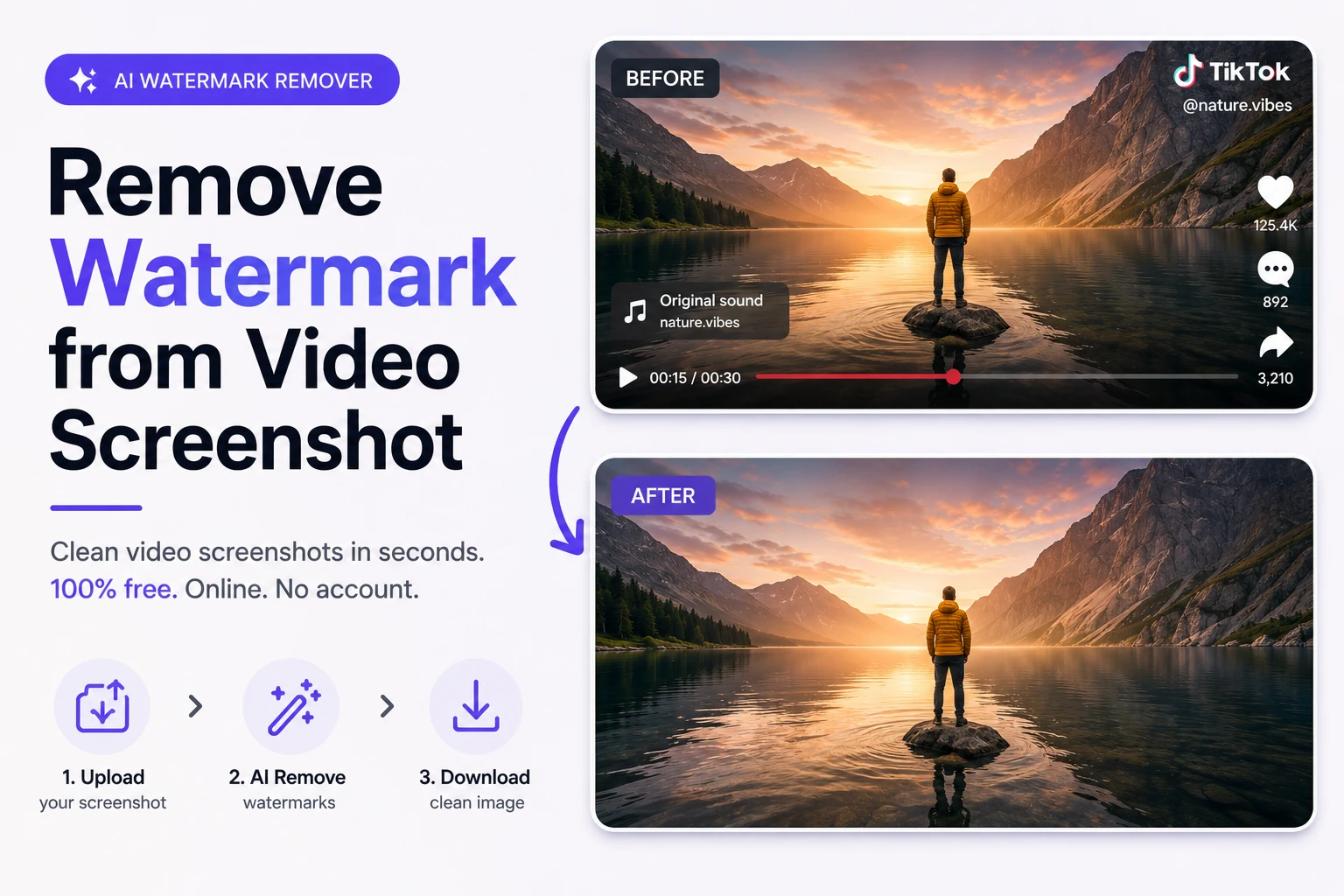
Video screenshots are one of the most common sources of watermarked images in 2026. Whether you’re capturing a frame from TikTok, YouTube, Instagram Reels, or a streaming platform, the saved screenshot almost always includes a platform logo, username overlay, progress bar, or timestamp in the corner. The Phototune watermark remover handles all of these automatically — no editing skills, no software, no cost.
Why Video Screenshots Always Have Watermarks
Every major video platform adds visual elements to their interface that end up in screenshots:
| Platform | Common Watermark Elements in Screenshots |
| TikTok | Logo in corner, username overlay, sound name bar at bottom |
| Instagram Reels | Username tag, audio credit, platform logo |
| YouTube | Progress bar, timestamp, channel watermark, subtitles |
| Twitter / X | Username, handle, platform branding |
| Netflix / streaming | Platform logo, subtitle text, episode info overlay |
| Video calls (Zoom, Teams) | Name labels, interface UI elements, recording indicator |
Screenshot Watermarks vs Video Watermarks: Key Difference
It’s important to understand the difference between removing a watermark from a video file and removing it from a screenshot of a video. Removing watermarks from video files requires specialized video editing tools that process each frame — it’s technically complex and often slow.
A video screenshot is simply an image — a JPG or PNG file. Once you’ve captured the frame you want, removing the watermark from that image is exactly the same as removing any other watermark from a photo. AI image-based tools handle this in seconds, and the quality of the result is high because there’s no video compression involved.
Step-by-Step: Remove Watermark from a Video Screenshot
Step 1: Capture your screenshot. On most devices, use the screenshot function while the video is paused at the frame you want. Save it as JPG or PNG.
Step 2: Go to Phototune.ai and open the watermark remover. No account or sign-up required — works on any device in your browser.
Step 3: Upload your screenshot. Drag and drop or click to browse. JPG, PNG, and WEBP up to 10MB are supported.
Step 4: The AI automatically identifies the watermark elements — corner logos, username overlays, progress bars — and removes them, reconstructing the background naturally.
Step 5: Check the result in the preview. For clean frames with simple backgrounds, the result is typically perfect. For complex areas where UI elements overlap with detailed content, use the manual brush for precision.
Step 6: Download your clean image at full resolution, ready to use immediately.
Common Video Screenshot Watermarks and How AI Handles Them
| Watermark Type | Location | AI Performance |
| Platform logo (TikTok, Instagram) | Corner — small, defined | Excellent — clean result on any background |
| Username / handle text | Corner or center overlay | Excellent — text pixels identified and removed |
| Progress / seek bar | Bottom edge | Very good — bar removed, edge reconstructed |
| Audio/sound credit bar | Bottom or side | Very good — text and background restored |
| Subtitle text | Bottom center | Good — works well on simple backgrounds |
| Name label (video calls) | Over face or background | Good — use manual brush over face areas |
When to Use Screenshots vs Video Tools
If you need a single clean frame — for a thumbnail, a social media post, an article illustration, or a reference image — taking a screenshot and removing the watermark with an image tool is by far the faster and simpler approach. Video watermark removal tools are better suited for when you need the entire cleaned video file.
For most content creation, presentation, and design use cases, a clean screenshot is all you need.
Legal Note
Screenshots from platforms you use are generally acceptable for personal reference, commentary, education, and non-commercial purposes. For commercial use — including publishing in articles, marketing materials, or selling the image — check the platform’s terms of service and ensure you have the rights to the underlying content.
Need to clean up a video screenshot quickly? Phototune online tool removes platform logos, username overlays, progress bars, and any other watermark from your screenshots in seconds — free, no account needed, full resolution output.
