

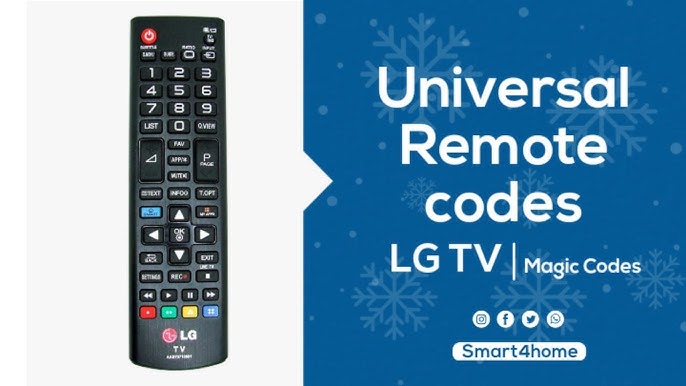
Looking for LG TV remote codes to setup or program your universal remote? In this article, you can check the universal remote codes for LG TV.
The remote is the most important part of a TV as it is used to control the TV. But what if your remote stops working, it can be a pain. Fortunately, you can use a universal remote with your LG TV. These are special remotes that need to be programmed and will work with almost any TV available.
Along with the list of LG TV universal remote codes here you will also learn the steps to program a universal remote for LG TV. Universal remotes are easily available for users to purchase. Some of the popular universal remote brands are General Electric, RCA, Philips, Magnavox, One for All, and more. They are very easy to use, provided you follow the instructions that tell you how to program the remote and enter the code.
Depending on the brand of the remote and the model of your LG TV the code will be different. If you are someone who is planning to get a universal remote for their LG TV, go ahead and get it, as we have a list of codes that you can input into the remote to program it to your TV.
LG TV Universal Remote Codes
Each universal remote has a unique set of codes, customized by brands to work with different TV models. Below, we’ve compiled a list of pairing codes for various popular universal remote brands, helping you easily find the correct code for your LG TV.
LG TV Codes for GE, Philips, and UltraPro Universal Remotes
Check the code list in the battery compartment and follow the codes accordingly:
- CL3: 0001, 5511, 3001, 5501, 3021, 3091, 3221, 3281, 3311, 5271, 0131, 0251, 0611, 0761, 0931, 1181, 1221, 1471, 1501, 1911, 3811, 4731
- CL4: 6021, 0001, 5511, 3001, 1911, 1181, 1221
- CL5: 6021, 0001, 5511, 3001, 1911, 1181, 1221
- CL6: 6021, 5511, 0001, 3001, 1911, 1181, 1221
LG TV Codes for RCA Universal Remote
- 11840, 12731, 11860, 11423, 12358, 14397, 14398, 11756, 31311, 52412, 63913
LG TV Codes for Magnavox Universal Remote
- 0103, 0122, 0124, 0038, 0017, 0021, 0026, 0027, 0002, 0606, 0502, 0102, 0117, 0814, 0324, 0435, 0802, 0307, 0609, 0217
LG TV Codes for Spectrum Remote
- Charter Spectrum: 11423, 10178, 12864, 14398, 12867, 10017, 10442
- Philips RC122: 1013, 1178, 1018, 1035, 1079, 1234, 1264, 1225, 1307, 1318, 1340, 1373
- Universal CLIKR: 363, 113, 116, 102, 112, 143, 569, 284, 648, 741
- 1060BC2/1060BC3: 11423, 10017, 11265, 10178, 10700, 10856, 11178, 11768, 11993, 12358, 12424
- UR3: 004, 106, 112, 127, 086, 236, 648, 741
- URC: 0017, 0178, 0030, 0856
LG TV Codes for Comcast Xfinity Remote
- 12731, 11178, 10178, 11756, 11637, 10017, 11530, 10442, 11314, 11454, 12253, 10856, 11265, 11993, 12271, 11934, 10700, 11032, 11758, 12246, 10032, 10037, 10016, 10842, 10386, 10003
LG TV Codes for One For All Remote
- 2358, 4137, 1840, 1423, 0876, 0178, 2182, 1663, 1753, 0019, 0030, 037, 108, 556, 0039, 0003, 0037, 0060
LG TV Codes for Inteset Remote
- INT422-3 Model: 11840, 11860, 12731, 12182, 10037, 10556, 11423
- INT422-4 Model: 11840, 11860, 14397, 12731, 11423, 12182, 15168, 12358, 10037, 14398, 10556
LG TV Codes for Sky Remote
- Sky+ Remote Version 4: 1584, 0065, 0742, 0743, 0459, 0726, 0584, 0679, 0533, 0451
- Sky+ Version 6: 1584, 0065, 0742, 1962, 0743, 0459, 0726, 0584, 1679, 1533
- Sky+ HD Version 8: 1280, 1665, 1246, 0206, 0065, 1321, 0742, 1293, 1206, 1962
- Sky+ HD Version 9: 1868, 2240, 2210, 1451, 1502, 1464, 1333, 1280, 1665, 1755
- Sky+ HD Version 10: 1868, 2210, 1451, 1333, 1280, 1665, 1755, 2225, 2704, 1870
- Sky Q V1: 2210, 1665, 0206
LG TV Codes for Blackweb Remote
- 3534, 0004, 2098, 0155, 2254, 0338, 0009, 0012, 0057, 0134, 0156, 1957, 2492, 4080, 4127, 4079
LG TV Codes for Brightstar Remote
- 619, 910, 700
Universal Remote Codes for LG TV [Common Codes]
Here is the table with 3-digit, 4-digit, and 5-digit codes:
| 3-Digit Codes | 4-Digit Codes | 5-Digit Codes |
|---|---|---|
| 004 | 0004 | 10017 |
| 005 | 0005 | 10178 |
| 009 | 0009 | 10442 |
| 012 | 0012 | 10700 |
| 050 | 0030 | 10856 |
| 057 | 0037 | 11178 |
| 080 | 0050 | 11265 |
| 156 | 0056 | 11423 |
| 227 | 0057 | 11530 |
| 338 | 0080 | 11637 |
| 420 | 0108 | 11758 |
| 505 | 0109 | 11934 |
| 506 | 0156 | 11993 |
| 512 | 0178 | 12358 |
| 520 | 0227 | 12424 |
| 553 | 0338 | 12612 |
| 615 | 0361 | 12834 |
| 627 | 0556 | 12864 |
| 653 | 0606 | 12867 |
| 678 | 0644 | 13397 |
| 766 | 0698 | 13979 |
| 773 | 0714 | |
| 0715 | ||
| 1002 | ||
| 1004 | ||
| 1005 | ||
| 1014 | ||
| 1025 | ||
| 1078 | ||
| 1081 | ||
| 1095 | ||
| 1096 | ||
| 1097 | ||
| 1098 | ||
| 1099 | ||
| 1100 | ||
| 1101 | ||
| 1111 | ||
| 1128 | ||
| 1130 | ||
| 1132 | ||
| 1134 | ||
| 1144 | ||
| 1149 | ||
| 1171 | ||
| 1205 | ||
| 1305 | ||
| 1343 | ||
| 1346 | ||
| 1396 | ||
| 1423 | ||
| 1637 | ||
| 1663 | ||
| 1681 | ||
| 1840 | ||
| 1842 | ||
| 1859 | ||
| 2065 | ||
| 4086 |
How to Program Universal Remote Control to LG TV
There are plenty of universal remote options available in the market. Whether you have a GE, RCA, or Philips remote, you can easily follow these steps to program it to your LG TV.
Here’s the rewritten version:
- Turn on your LG TV.
- Press and hold the Setup button until the red power indicator lights up.
- Press the TV button once.
- Enter the programming code from the list of LG TV remote codes.
- Start with 10178. If that doesn’t work, try 11178. If neither code works, refer to the other codes in the list.
- Once the correct code is entered, the red light will turn off.
- Test the buttons on your Universal Remote to ensure they are working properly.
- If the buttons don’t respond as expected, try a different pairing code (since some TV brands have multiple codes).
- If you have the official LG remote, check out our guide on how to program an LG remote to your TV for further assistance.
Troubleshooting Tips for LG TV Remote Codes
Sometimes things don’t go according to plan, and you might find yourself struggling to get your remote working. Don’t worry! Here are some troubleshooting tips to help you fix any issues you encounter during the setup process.
Common Issues and Fixes
Issue 1: The TV Doesn’t Respond to the Remote
Check if the LG TV remote codes were entered correctly. Double-check the manual for the correct code for your model. You can also try resetting the remote and re-entering the code.
Issue 2: The Remote Doesn’t Turn the TV On or Off
Ensure that the remote is in programming mode when entering the code. If the issue persists, try using the auto-search function to find a compatible code.
Issue 3: The Remote Controls Other Devices But Not the TV
This could be because the remote is set to control a different device. Re-enter the LG TV remote code for your specific TV model to ensure it’s paired correctly with the TV.
Frequently Asked Questions
What are LG TV remote codes and why are they important?
LG TV remote codes are unique numerical codes that allow universal remote controls to pair with your LG TV. These codes are crucial because they enable the universal remote to control your TV, adjusting functions like volume, power, and channels. Without the correct code, the universal remote will not work with your TV.
How do I find the correct LG TV remote code for my universal remote?
To find the correct code for your LG TV, check the code list provided with your universal remote. You can also find a comprehensive list of LG TV remote codes online, including different codes for various remote brands (e.g., GE, RCA, Comcast). If one code doesn’t work, try the next one on the list until you find the correct pairing code.
What should I do if my universal remote doesn’t work after entering the LG TV code?
If your universal remote doesn’t work after entering the code, ensure that you entered the code correctly. If the problem persists, try another code from the list, as multiple codes may work with different LG TV models. Also, make sure the remote has fresh batteries and that you’re pointing it correctly at the TV.
Can I use a universal remote to control all the functions of my LG TV?
Yes, a universal remote should allow you to control most of your LG TV’s basic functions like power, volume, and channel switching. However, some advanced features or settings might not be accessible with certain universal remotes. In those cases, the LG brand remote might be required for full functionality.
How can I program an official LG remote to my LG TV?
Programming an official LG remote to your TV is simple and typically doesn’t require a code. You can follow the on-screen instructions in the TV’s settings menu or consult the LG remote user manual. For some LG models, you may need to manually enter a code, but this is rarely necessary with LG’s proprietary remotes.
conclusion
Understanding LG TV remote codes is essential for ensuring seamless control over your LG television with a universal remote. Whether you’re setting up a new remote or troubleshooting an existing one, the process is simple and straightforward once you have the correct code. From checking the code list to testing different codes, this guide provides all the information you need to successfully pair your universal remote with your LG TV.
Remember, if one code doesn’t work, don’t hesitate to try another, as multiple codes may work with different LG TV models. If you’re using the official LG remote, programming is typically hassle-free, requiring little more than basic instructions or code input.
With this guide, you can now confidently program your universal remote and enjoy a hassle-free viewing experience. If you ever encounter difficulties, simply consult the code list or check out additional troubleshooting tips for quick solutions.