


Got an Element TV and a new Universal Remote but unsure how to program it? Don’t worry! This guide provides a comprehensive list of Element TV remote codes to help you configure your universal remote. By the end of this article, you’ll know exactly how to program your remote to control your Element TV with ease.
Element TVs are popular for their affordability and quality, making them a great choice for many households. If you’ve lost your remote or it’s no longer working, replacing it with a universal remote is a practical solution. However, universal remotes require specific codes to pair with your TV. Each universal remote has its unique code, and finding the right one is crucial for successful programming.
In this article, we’ll provide the necessary programming codes and a step-by-step guide to pair your universal remote with your Element TV. Follow along to learn how to regain full control of your TV quickly and hassle-free!
How to Program a Universal Remote Control for Your Element TV
- Step 1: Press and hold the SETUP button on the remote until a red light appears.
- Step 2: When the red light turns on (either on the power button or a small red light on top of the remote), release the SETUP button.
- Step 3: Press the TV button. If your remote doesn’t have a TV button, press the button for the device you want to pair with the TV.
- Step 4: Enter a valid code from the list below or refer to the manual for the appropriate code.
- Step 5: Point the remote at the TV and press the volume or channel buttons to test if the remote is working properly.
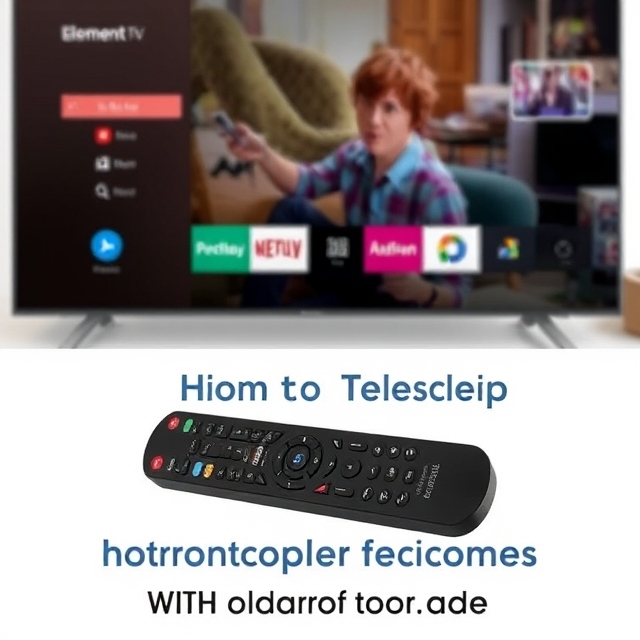
How to Program Your Element TV Remote Without Entering Codes
If you prefer to program your Element TV remote without entering any codes, follow these steps:
- Step 1: Turn on the TV you wish to control.
- Step 2: Hold down the Device and OK buttons for 3 seconds. The red light or power button should stay on.
- Step 3: Point the remote at your TV and press either the CH+ or CH- button. The indicator light will blink as it cycles through the codes. Keep pressing the button until the device turns off.
- Step 4: Press the Power button. If the code is correct, the device will turn on.
- Step 5: To save the code, press the Device button you used earlier. The red light will blink and turn off.
How to Program Your Element TV Remote Manually
To program your Element TV remote manually, follow these steps:
- Step 1: Turn on the device and press the TV button on the remote.
- Step 2: Press and hold the SETUP button until the red light turns on.
- Step 3: Enter the code and then press the Power button. If the TV or device turns off, the code is correct. If it doesn’t, recheck the code or try another one from the list until it works.
How to Program Your Element TV Remote with the Code Search Feature
If you don’t have the code, you can use the Code Search feature to program the Element TV remote:
- Step 1: Power on the device and press the SETUP button, followed by entering the code 9-9-1.
- Step 2: Release the SETUP button but continue to press and hold the Power button. Then, press the CH+ button to cycle through the codes. Wait a moment after each press until the device turns off.
- Step 3: Once the device powers off, press the Power button again to turn it back on.
The remote will now be successfully paired with your device.
Element TV Remote Codes – Complete List
3-Digit Code For Element TV
- 046
- 153
- 535
- 247
- 048
- 252
- 914
- 568
- 127
- 238
- 004
- 999
- 005
- 506
- 505
- 051
- 387
- 004
- 076
- 096
- 110
- 705
- 151
- 526
- 494
- 168
- 154
- 121
- 575
- 669
4-Digit Code For Element TV
- 1718
- 2183
- 4217
- 1507
- 2256
- 1918
- 5411
- 1104
- 1228
- 0081
- 5353
- 1756
- 4111
- 0281
- 2401
- 1598
- 2801
- 5471
- 0571
- 3559
- 1437
- 1407
- 1204
- 1444
- 0178
- 1687
- 0911
- 2049
- 6021
- 0020
- 4401
- 1065
- 1398
- 1886
- 3183
- 1025
5-Digit Code For Element TV
- 11886
- 11687
- 10178
- 12183
- 13656
- 18358
- 13183
- 11687
- 12183
- 10916
- 11756
- 10261
- 11886
- 11864
- 12360
- 10885
- 10178
- 14023
- 11568
- 14254
- 10156
- 12049
- 11993
- 14175
- 12964
- 12256
Element TV Remote Codes For Att Uverse
- 1343
- 1346
- 1398
- 1422
- 1437
- 1444
- 1581
- 1597
- 1598
- 10706
- 10885
- 11687
- 11756
- 11886
- 12049
- 12183
- 12434
- 12964
- 13183
- 13559
Element TV Remote Codes For Comcast
- 10156
- 10178
- 10706
- 10885
- 11687
- 11756
- 11864
- 11886
- 12049
- 12183
- 12260
- 12434
- 12964
- 13559
- 13907
- 14398
Element TV Remote Codes For DirecTV
- 10178
Element TV Remote Codes For GE
- 1025
- 1091
- 1173
- 1651
- 2401
- 4111
- 5341
- 5361
- 5411
- 5421
- 5471
- 5831
- 5841
- 6021
Element TV Remote Codes For RCA
- 1687
- 1886
- 2183
- 2964
- 3559
- 11687
- 11886
- 12183
- 12256
- 12964
- 13559
- 13907
- 14217
Element TV Remote Codes For Roku
- 10178
- 11687
- 11864
- 11886
- 12183
- 12260
- 12559
- 12964
- 13907
4-Digit Remote Codes For Element TV
- 1687
- 1886
- 2183
- 3264
OneForAll Remote Codes for Element TV
- 1687
- 1886
- 2049
- 2183
- 2434
- 2964
- 3183
- 3559
- 4398
- 4635
- 4910
- 10885
- 11756
- 12049
- 12183
- 12434
Onn Remote Codes For Element TV
- 028
- 046
- 051
- 076
- 127
- 151
- 153
- 154
- 155
- 231
- 236
- 238
- 247
- 252
Philips Remote Codes For Element TV
- 1091
- 1651
- 1918
- 2401
- 3477
- 4111
- 5341
- 5361
- 5411
- 5421
- 5471
- 5831
- 5841
- 6021
- 10862
- 11068
- 11147
- 11568
- 13656
- 14023
- 14156
- 14175
Blackweb Remote Codes For Element TV
- 1025
- 1173
- 1820
- 1821
- 2464
- 2467
- 2468
- 2492
- 3000
- 3109
- 3538
Spectrum Remote Codes for Element TV
- 004
- 031
- 110
- 268
- 363
- 387
- 494
- 526
- 622
- 690
- 705
Xfinity Remote Codes For Element TV
- 10178
- 11687
- 11864
- 11886
- 12260
- 12964
- 13559
- 13907
Magnavox Remote Codes For Element TV
- 0001
- 0073
- 0088
Time Warner Remote Codes for Element TV
- 11687
- 11886
- 12183
- 12964
- 13559
- 13907
Jumbo Remote Codes For Element TV
- 004
- 121
- 127
- 151
- 153
- 154
- 168
- 231
- 236
- 238
- 247
- 252
- 2183
Spectrum Remote Codes For Element TV
- 0706
- 0885
- 1524
- 1687
- 1756
- 1864
- 2049
- 2183
- 2256
- 2360
- 2434
- 2746
- 2964
- 3559
Suddenlink Remote Codes For Element TV
- 0051
- 0081
- 0541
- 0561
- 0671
- 0911
- 1631
- 4151
Cox Remote Codes For Element TV
- 1687
- 1886
- 2183
Verizon Remote Codes For Element TV
- 3264
Dish Remote Codes For Element TV
- 111
- 123
- 143
- 156
- 328
- 500
- 524
- 554
- 565
- 571
- 617
- 627
- 630
- 645
- 666
- 685
- 701
- 730
- 764
- 773
- 775
- 828
- 852
- 908
- 914
- 952
Frequently Asked Questions
How do I find the correct code to program my universal remote for an Element TV?
You can find the correct codes in the manual provided with your universal remote or from a list of Element TV codes available online. These codes vary based on the remote model, so ensure you’re using the correct one for your specific remote.
What should I do if the Element TV does not respond to the entered code?
If your TV doesn’t respond, double-check that you entered the code correctly. If it still doesn’t work, try the next code from the list or use the code search method to find the correct pairing automatically.
Can I program my Element TV remote without entering codes manually?
Yes, you can program the remote without codes by using the auto-search method. This involves cycling through codes by pressing the CH+ or CH- button until the TV responds (e.g., turns off or on).
Why is my Element TV remote not working after programming?
This issue could be due to a mismatch in the code, weak batteries in the remote, or interference between the remote and the TV. Ensure you’ve saved the correct code, check the batteries, and remove any obstructions between the remote and TV.
Is the programming process different for various universal remotes?
Yes, the programming process and codes may vary depending on the brand and model of your universal remote. Always refer to the specific instructions in your remote’s manual for the most accurate programming steps.
conclusion
Programming an Element TV remote, whether with codes or using the code search method, is a straightforward process when you follow the correct steps. Whether you have a list of codes handy or need to let the remote automatically find the correct one, both methods allow you to pair your universal remote effectively with your Element TV.
Always ensure you have fresh batteries in your remote and follow the steps patiently. If one method doesn’t work, try another, such as manual programming or the code search feature. With the right approach, you’ll quickly regain full control of your TV and enjoy uninterrupted entertainment.