

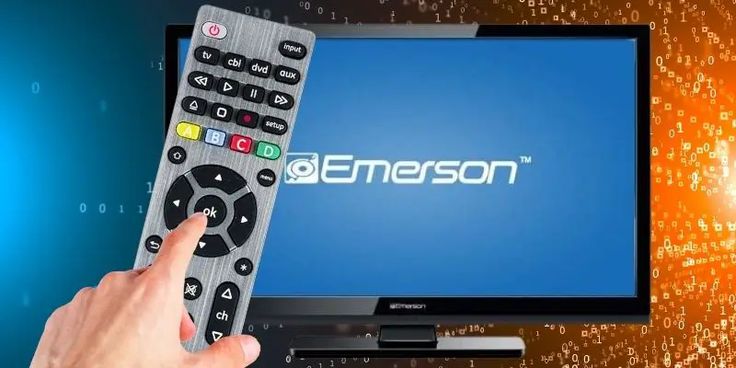
Emerson TV Codes for GE Universal Remote: Are you searching for the universal remote codes for your Emerson TV? If so, you’ve come to the right place! In this guide, we’ll provide you with a comprehensive list of Emerson TV remote codes.
Every smart TV comes with its own remote for easy navigation and operation. However, these remotes can sometimes malfunction or be misplaced. If your Emerson TV remote isn’t working or you’ve lost it, a universal remote control is an excellent solution.
If you’ve recently purchased a new universal remote and are looking to set it up with your Emerson TV, you’re in the perfect spot. This guide will walk you through a list of codes that you can use to pair your universal remote with your TV.
Each universal remote has a unique pairing method and a set of codes designed to work with various TV brands. We’ll guide you through the different codes you can use to successfully program your universal remote for Emerson TV.
Universal Remote Codes for Emerson TV
Remote codes are specific combinations designed to work with a particular brand and type of device. With so many remote control and TV models, each has its own unique set of codes. Keep reading to explore the full list.
- Note: Most newer remotes support either 4-digit or 5-digit codes. Refer to your remote’s quick start guide to determine which type it supports.
2-Digit Emerson TV Remote Codes
| Remote | Codes |
|---|---|
| Emerson | 01, 03, 04, 23, 32, 34, 35, 77, 83, 84 |
3-Digit Emerson TV Remote Codes
| Remote | Codes |
|---|---|
| Brightstar | 620, 902, 022, 614, 901, 200, 201, 607, 617, 615, 602, 103, 101 |
| Emerson | 523, 526, 527, 528, 533, 534, 535, 536, 537, 544, 632, 654, 655, 657, 672, 691, 720, 777, 846 |
| GE | 004, 006, 009, 012, 014, 023, 024, 025, 026, 027, 028, 029, 030, 031, 032, 033, 034, 0356, 036, 037, 038, 039, 041, 042, 043, 044, 046, 047, 049, 051, 053, 123, 124, 130, 135, 147, 162, 171, 176, 177, 179, 189, 191, 210, 227, 233, 250, 252 |
| One For All | 000, 030, 036, 039, 058, 068, 135, 146, 147, 150, 158, 163, 177, 178, 180, 181, 182, 184, 185, 211, 236, 270, 280, 282, 463, 624 |
| Philips | 114, 205, 206, 207, 240, 263, 388, 490 |
| RCA | 004, 005, 006, 008, 009, 010, 011, 012, 017, 018, 023, 024, 025, 026, 027, 028, 029, 030, 031, 032, 052, 054 |
4-Digit Emerson TV Remote Codes
| Remote | Codes |
|---|---|
| Blackweb | 2324, 3110, 2454, 2455, 2472, 3109, 2423, 2467, 2477, 0004, 0198, 1173, 1141, 1172, 3014, 3022, 2471, 0023, 0027, 0032, 0034, 0037, 0039, 0040, 0045, 0130, 0179, 0231, 0237, 0249, 0252, 0259 |
| Emerson | 0181, 0198, 0205, 0207, 0263, 0490, 0650, 3005, 3008, 3010, 3011, 3012, 3013, 3015, 3025, 3031, 3186, 3203, 3204, 3218 |
| GE, Philips, UltraPro | 2761, 5761, 5221, 5231, 4731, 5341, 0001, 0021, 0031, 0041, 0271, 0281, 0291, 0371, 0441, 0451, 0691, 0701, 0731, 0741, 0851, 0931, 1221, 1251, 1261, 1371, 1381, 1451, 1461, 1551, 1611, 1631, 1681, 1701, 1711, 1931, 1941, 2171, 2191, 2361, 3451, 4701, 4751, 4761, 4831, 4911 |
| Magnavox | 0114, 0127, 0130, 0038, 0040, 0041, 0059, 0070, 0091 |
| One For All | 0714, 0178, 0037, 0556, 0371, 1394, 1909, 0486, 0668 |
| RCA | 0154, 0171, 0178, 0180, 0236, 0451, 0463, 0623, 1003, 1004, 1006, 1009, 1011, 1012, 1018, 1021, 1023, 1024, 1025, 1026, 1027, 1028, 1029, 1030, 1031, 1033, 1038, 1046, 1394, 1661, 1665, 1864, 1886, 1944, 1963, 2183, 3559, 3623 |
| Sky | 0199, 0115, 0652, 0742, 0696, 0514, 0398, 0389, 0772, 0683, 1937, 1065 |
| Spectrum | 1864, 0154, 0451, 0236, 0463, 0180, 0178, 0171, 1661, 1665, 1963, 1997, 1241, 1014, 1020, 1023, 1019, 1018, 1017, 1027, 1172, 1251, 1361 |
5-Digit Emerson TV Remote Codes
| Remote | Codes |
|---|---|
| Emerson | 10171, 10180, 10451, 10463, 11394, 11661, 11864, 11886, 11909, 11963, 12183, 13559, 13623 |
| Inteset | 11864, 10171, 11394, 11886, 13623, 11661, 10037, 12183, 13559 |
| One For All | 10171, 10178, 10451, 10463, 11394, 11661, 11864, 11944 |
| Philips | 10005, 10400, 10625, 11818, 12001, 12210, 12251, 12359, 12419, 12919, 13229, 13700, 13919, 13925, 14102, 14504, 15526, 15659, 15722, 16902, 17000, 17627, 17652, 18358, 18503, 18918, 19331 |
| RCA | 11864, 10171, 10463, 11394, 11886, 13623, 11661, 12183, 11665, 12776, 13559, 29311, 36412, 48111, 82615, 88518, 46911, 71714, 75614, 40411, 26618, 54711, 79513, 85913, 99714 |
| Spectrum | 11864, 10171, 10463, 11963, 10180, 11394, 11913, 10178, 11454, 11661, 11997, 12183, 11578, 11142, 11928, 13559 |
| Xfinity | 10236, 11864, 10171, 10463, 11963, 10180, 11913, 10179, 10178, 10177, 11661, 11911, 10282, 10280, 10270, 11665, 10623, 10183, 10181, 11909, 10451, 10019, 11928, 11905, 10154, 10038, 10002, 10855, 10702, 10036, 10032 |
How to Program Universal Remote to Emerson TV
Programming a remote for your TV is simple once you have the correct programming codes. While the steps may vary slightly depending on the brand of your remote, the process is easy to follow. Here’s a quick guide:
Step 1: Start by turning on your TV.
Step 2: Press the TV button on your remote while aiming it at the TV. If your remote doesn’t have a TV button, follow these alternatives: press the Code Search button for Magnavox and RCA remotes, the Setup button for GE and Philips remotes, or the Magic button for One For All remotes.
Step 3: The LED light will flash as soon as you press the button.
Step 4: Enter the code. (For some remote brands, like RCA, you must press the TV button while entering the code.)
Step 5: If the correct code is entered:
- For the One For All remote, the LED will blink twice and then turn off.
- For Magnavox and GE remotes, the LED will simply turn off.
- For the Philips remote, the device keys will flash three times before turning off.
Step 6: If the LED doesn’t respond as described, try entering a different code to continue programming.
Benefits of Using a Universal Remote with Your Emerson TV
Now that you’ve got your Emerson TV programmed with your GE Universal Remote, it’s time to sit back and enjoy the convenience. But why should you bother using a universal remote at all?
-
One Remote for Everything: No more juggling different remotes for your TV, DVD player, or sound system. The GE Universal Remote allows you to control all your devices with just one.
-
Ease of Use: Programming the remote is relatively easy, and the remote itself is user-friendly. With large buttons and a simple interface, you’ll be navigating your entertainment system like a pro in no time.
-
Cost-Effective: Instead of buying individual remotes for every device, the GE Universal Remote is a budget-friendly solution that can work with multiple brands, including your Emerson TV.
Troubleshooting Common Problems
So, what happens if things go wrong? Here are a few things to check if your GE Universal Remote isn’t working as expected:
- TV is not responding: Double-check that you’ve selected the correct device mode (TV, in this case) on your remote.
- Remote buttons aren’t functioning: Make sure the batteries in your remote are fresh and installed correctly.
- The code doesn’t work: Try the next code from the list, or use the auto-search method to find the right one.
Frequently Asked Questions
What are Emerson TV codes for GE Universal Remotes?
Emerson TV codes for GE Universal Remotes are a set of numeric codes used to program a GE universal remote control to work with your Emerson television. These codes allow the remote to control basic functions like power, volume, and channel switching on the Emerson TV.
How do I find the correct Emerson TV code for my GE Universal Remote?
You can find the correct Emerson TV code by referring to the user manual that comes with your GE Universal Remote. Typically, the manual contains a list of codes for various TV brands, including Emerson. If you don’t have the manual, you can also search for the codes online on the official GE website or use the automatic code search method provided by the remote.
What should I do if the code I entered does not work?
If the code you entered doesn’t work, try using the next code in the list for Emerson TVs. If none of the codes work, perform the automatic code search method. This involves pressing a sequence of buttons on the remote to allow it to search for the correct code automatically.
Can I use a GE Universal Remote to control all functions of my Emerson TV?
In most cases, a GE Universal Remote can control basic functions such as power, volume, and channel switching. However, certain advanced features (like picture settings or specific app controls) may not be accessible, depending on the model of the Emerson TV and the universal remote.
How do I program my GE Universal Remote with an Emerson TV using the code?
To program your GE Universal Remote with an Emerson TV, first turn on your TV. Then, press and hold the “Code Search” button on the remote until the red indicator stays on. Next, release the “Code Search” button and press and release the “TV” button. Enter the Emerson TV code using the number buttons on the remote. Once the correct code is entered, the red indicator will turn off. Test the remote to ensure it works properly with your TV.
conclusion
Programming your GE Universal Remote to control your Emerson TV is a straightforward process that enhances convenience by allowing you to control multiple devices with one remote. By following the steps outlined in this guide, you can easily find the correct Emerson TV code, troubleshoot any issues, and enjoy seamless operation of your TV functions. Whether you’re using a manual code search or the automatic search feature, the key is patience and ensuring the correct code is inputted. If you encounter difficulties, revisiting the code list or performing a reset can often resolve common issues. With the right code, your GE Universal Remote will provide you with an efficient and hassle-free viewing experience.