

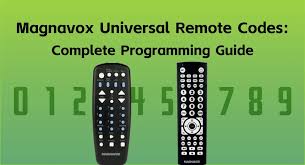
If you’ve just purchased a new Magnavox Universal Remote to control multiple devices in your home, the first step is to pair or program it with those devices. You can do this using either the Manual Code method or the Auto Code method. To make things easier, we’ve compiled a list of Magnavox Universal Remote Codes along with a step-by-step programming guide.
Universal remotes are a game changer. Whether your original remote is lost, broken, or no longer available, a universal remote has got you covered. These versatile devices work like magic, allowing you to control multiple gadgets with a single remote.
Magnavox Universal Remote Codes List (for All TVs)
Magnavox offers two universal remotes: one controls up to four devices, and the other can manage up to eight devices. Each remote uses a different set of codes, so it’s essential to identify which one you have. If your remote has a button for four devices, it’s the MC345, while the remote with an eight-device button is the MC348.
Here’s a table listing the Magnavox MC345 and MC348 Remote Codes for TV brands:
| Brand | MC345 Remote Codes | MC348 Remote Codes |
|---|---|---|
| Admiral | 0129, 0130 | 0603, 0224, 0701 |
| Advent | 0036 | 0213, 0219, 0893 |
| Akai | 0102, 0117, 0034, 0090 | 0112, 0801, 0309, 1315, 1415, 0027, 1112, 1912, 1515 |
| AOC | 0058, 0063, 0093, 0096, 0024 | 0002, 0102, 0502, 1502, 0003, 0217, 0119, 0320 |
| Apex Digital | 0133, 0037, 0049, 0020 | 0023, 0223, 0123, 1814, 0741 |
| Audiovox | 0127, 0044, 0080, 0081, 0087, 0099 | 0906, 1503, 1313 |
| Aventura | 0040 | 0019 |
| Broksonic | 0130, 0090 | 0316, 0115, 0626, 0327, 0632, 0041 |
| Carver | 0123 | – |
| Celebrity | 0043 | 0801 |
| Celera | 0037 | 0023 |
| Changhong | 0037 | 0023, 0741 |
| Citizen | 0132, 0090 | 0002, 0502, 0906, 0112, 0512, 0520, 0115, 0701, 0402, 0805, 0407 |
| Coby | 0067, 0009, 0011, 0134, 0135, 0014 | 1710, 1014 |
| Commercial Solutions | 0122, 0100 | – |
| CRAIG | 0012, 0013 | 0906, 0805 |
| Crosley | 0043, 0123 | 0807 |
| Curtis | 0015, 0023 | – |
| Curtis Mathes | 0100, 0123, 0127, 0129, 0132, 0034, 0039, 0041 | 0704, 0112, 0614, 0002, 0502, 0601, 0506, 0512, 0437, 0701, 0103 |
| Daewoo | 0127, 0041 | 0614, 0002, 0502, 0611, 0102, 0415 |
| Dell | 0119 | – |
| Denon | 0039 | – |
| Dumont | 0124 | – |
| Durabrand | 0130, 0038, 0040 | – |
| Dynex | 0042, 0094, 0002 | – |
| Electroband | 0043 | – |
| Electrograph | 0116 | – |
| Electrohome | 0130, 0071 | – |
| Element | 0073, 0088, 0001 | – |
| Emerson | 0114, 0127, 0130, 0038, 0040, 0041, 0059, 0070, 0091 | – |
| Emprex | 0060 | – |
| Envision | 0058, 0063, 0093, 0096 | – |
| ESA | 0102, 0040, 0091 | – |
| Funai | 0043, 0040, 0091 | – |
| Gateway | 0116 | – |
| GE | 0121, 0122, 0100, 0126, 0127, 0038 | – |
| GFM | 0040, 0070, 0091, 0000 | – |
| Gibralter | 0124 | – |
| GoldStar | 0038 | – |
| Haier | 0078, 0079, 0010 | – |
| Hallmark | 0038 | – |
| Hannspree | 0056 | – |
| Harman/Kardon | 0123 | – |
| Havermy | 0129 | – |
| Hello Kitty | 0127 | – |
| Hisense | 0133, 0069, 0097, 0016 | – |
| Hitachi | 0111, 0039 | – |
| Ilo | 0059, 0070, 0072 | – |
| Infinity | 0123 | – |
| Insignia | 0103, 0120, 0130, 0040, 0069, 0074, 0089, 0091, 0094 | – |
| Inteq | 0124 | – |
Troubleshooting Magnavox Universal Remote Codes
Even after following the steps above, you might encounter some issues with pairing your device and remote. Here are a few common problems and solutions:
The Remote Won’t Program
If you’re having trouble programming your remote, make sure the device you are trying to control is compatible with the Magnavox Universal Remote. Check the battery level of your remote—low batteries can sometimes cause issues. If the problem persists, consult the user manual for further guidance.
Code Doesn’t Work
Don’t worry if the first code you try doesn’t work! As mentioned earlier, Magnavox Universal Remote codes may differ between models and device brands. Go ahead and try a few other codes for your specific device. Also, make sure you are entering the code correctly.
The Remote Stops Responding
If the remote works initially but then stops responding, it could be due to interference from other electronics or a malfunction in the remote itself. Ensure there are no obstructions between the remote and the device, and try replacing the batteries.
Commonly Used Magnavox Universal Remote Codes
For TVs:
- Samsung: 10812, 10060, 10178
- Sony: 10000, 10156, 10232
- LG: 10856, 10047, 10102
For DVD Players:
- Magnavox DVD Player: 11314, 11647
- Panasonic DVD Player: 10463, 10578
For Soundbars:
- Vizio Soundbar: 11864, 10178
- Sony Soundbar: 10000, 11314
Advanced Tips for Using Magnavox Universal Remote Codes
Master Reset
If your remote is not working or you want to start fresh, you can perform a master reset on your Magnavox Universal Remote. To do this, press and hold the “Code Search” button, then press and release the “Power” button. The red light will blink and turn off, indicating the reset was successful.
Controlling Multiple Devices
Did you know that you can control more than one device with your Magnavox Universal Remote? Simply repeat the programming steps for each device, selecting the correct button (TV, DVD, etc.) each time.
Using the Learn Function
Some models of the Magnavox Universal Remote offer a learning function, allowing the remote to “learn” commands directly from the original remote. If you have an original remote that is not compatible with your Magnavox Universal Remote, try this feature for a hassle-free setup.
Frequently Asked Questions
What are Magnavox Universal Remote Codes?
Magnavox Universal Remote Codes are specific numeric sequences that enable a Magnavox remote to communicate with and control various TV brands and other devices. These codes are essential for setting up your universal remote to work with your TV or audio equipment.
How do I program my Magnavox Universal Remote to my TV?
To program your Magnavox Universal Remote, you’ll need to enter the appropriate code for your TV brand. Press the “TV” button on the remote, then hold down the “SET” button until the red indicator stays on. After that, enter the code for your TV brand, and the red indicator will turn off. Test the remote by trying to control the TV. If it doesn’t work, repeat the process with the next code in the list.
What should I do if the Magnavox Universal Remote Code doesn’t work?
If the code doesn’t work, try entering a different code from the list for your TV brand. Alternatively, you can use the “Auto-Search” feature, where the remote searches for the correct code automatically by pressing and holding certain buttons until the TV responds.
Where can I find the Magnavox Universal Remote Codes?
The codes can usually be found in the user manual that comes with your Magnavox remote. If you don’t have the manual, you can also find the code lists online on the Magnavox website or in various online forums and resources dedicated to universal remote setup.
Can I program my Magnavox Universal Remote to control other devices, like sound systems or DVD players?
Yes, Magnavox Universal Remotes can be programmed to control various devices beyond just TVs, including soundbars, DVD players, Blu-ray players, and other audio/video equipment. You’ll need to use the appropriate code for each device type to ensure proper functionality.
Conclusion
Magnavox universal remote codes are essential for setting up your remote control to work with a variety of TV brands. These codes help ensure seamless communication between your remote and your TV, so you can control the power, volume, channels, and other functions with ease. Whether you have a Magnavox MC345 or MC348 remote, these codes are critical in simplifying the setup process for devices from hundreds of manufacturers, including popular brands like Sony, LG, Samsung, and more.
By following the provided code lists and instructions, you can easily pair your universal remote with most TV brands, eliminating the need for multiple remote controls. It’s important to remember that different TV models from the same brand might require distinct codes, so it’s always best to consult the code list to find the right one for your device.
If the codes don’t work, don’t worry — you can try alternate codes, reset your remote, or consult the Magnavox user manual for troubleshooting. With these steps, you can ensure that your Magnavox universal remote will work efficiently with your TV, providing the convenience of controlling all your devices with a single remote.