

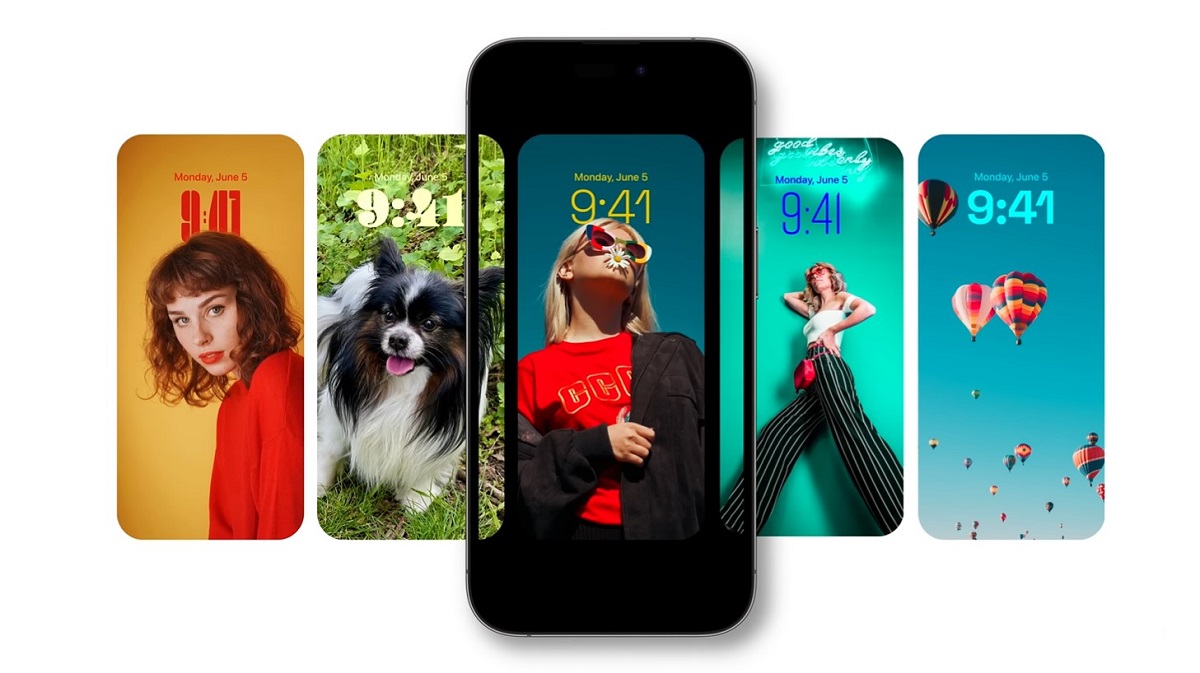
Apple unveiled Wallpaper iOS 17, the seventeenth version of its iPhone operating system, at the 2023 WWDC conference. This update brings a redesigned Phone and Messages app, a new full-screen experience with StandBy, NameDrop for quick contact sharing, Interactive widgets, and an all-new Journal app, among other features.
Alongside these exciting changes, iOS 17 introduces a stunning set of built-in stock wallpapers. The best part? These high-resolution wallpapers are now available for download, so you can enjoy them on both your iPhone and Android devices.
Wallpaper iOS 17 – Quick Preview
The first day of WWDC 2023 was packed with exciting announcements, including the debut of Apple Vision Pro, the unveiling of iOS 17, iPadOS 17, watchOS 10, new Macs, and more. Before we dive into the wallpaper section, let’s take a quick look at what iOS 17 has to offer.
iOS 17 introduces a refreshed design for three key iPhone apps – Phone, Messages, and FaceTime. The Phone app now features a customizable Contact Screen, allowing users to personalize their call screen with different font styles, colors, weights, and more. Additionally, iOS 17 brings the Live Voicemail feature, enabling users to see a live transcript of a voicemail, making it easy to screen calls during meetings or busy moments.
Messages gets a makeover as well, with a revamped chat screen, quick access to all apps via a new plus button, and added features like search filters, swipe-to-reply, and live stickers. FaceTime users can now leave video or audio messages when a call is missed. The app also expands to Apple TV, allowing you to use your iPhone as a camera and start a FaceTime call directly from the TV.
StandBy mode offers a new full-screen experience when your iPhone is charging or mounted at night, turning the lock screen into an interactive display. iOS 17 also introduces interactive widgets, NameDrop for quick contact sharing via AirDrop, offline map downloads, and a new Journal app, among other features. Check out the full list of updates in this article. Now, let’s explore the stunning iOS 17 wallpapers.
Wallpaper iOS 17
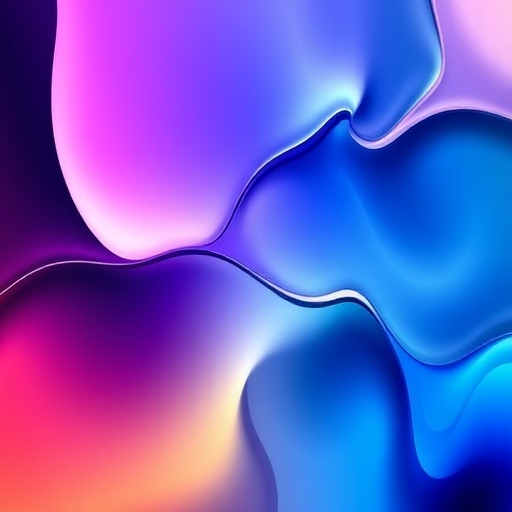
iOS 17 introduces two stunning wallpapers featuring vibrant visuals that truly stand out. What sets these wallpapers apart is their ability to incorporate the depth effect, seamlessly blending with the clock on your device for a dynamic experience. A big thanks to @iSWUpdates for sharing these high-resolution wallpapers, which are available in a sharp 1379 x 3000 pixel resolution, ensuring crisp and clear visuals.
Last year, with iOS 16, Apple unveiled a wide range of unique wallpapers, including categories like Astronomy, Weather, Emoji, Unity, Color, Pride, and Collections. This year, Apple expands its collection even further with the addition of the Kaleidoscope category. This new collection features 20 vibrant, unique backgrounds, all available in high resolution at 1290 x 2796 pixels. Below, you can see a preview of these new wallpapers.
- Note: The images below are preview versions and do not reflect the original resolution. Please do not download them from the images. Instead, use the download link provided in the section below to get the full-quality versions.
iOS 17 Stock Wallpapers – Preview


iOS 17 Kaleidoscope Wallpapers – Preview


Why Does iOS 17 Wallpaper Matter?
For many users, the wallpaper is the first thing they see when unlocking their phone, so it’s essential that it resonates. With iOS 17, Apple has enabled users to express themselves in ways that weren’t possible before. Wallpapers aren’t just static anymore—they’re a part of the experience, shaping how we interact with our devices.
iOS 17 wallpaper serves as more than just an aesthetic choice; it’s a way to make your device feel like it was made just for you. The incorporation of interactive features, live wallpaper, and dynamic effects means that the wallpaper is now a part of the device’s functionality, offering a truly unique experience.
Frequently Asked Questions
What are the new wallpaper features in iOS 17?
Wallpaper iOS 17 introduces two stunning new wallpapers that feature vibrant visuals and an adaptive depth effect, allowing the clock on your device to blend seamlessly with the wallpaper. These wallpapers are available in high resolution (1379 x 3000 pixels) for a crisp and dynamic appearance on your screen.
How do the iOS 17 wallpapers adapt to my device’s clock?
The wallpapers in iOS 17 utilize the depth effect, which makes them interactive with the device’s clock. This effect allows the wallpaper to change its layout depending on the position of the clock, creating a more personalized and visually immersive experience.
Can I download the iOS 17 wallpapers in high resolution?
Yes, the new iOS 17 wallpapers are available for download in high resolution, specifically 1379 x 3000 pixels, ensuring sharp and clear visuals on your device. Make sure to download them from the provided official link to get the best quality.
What other wallpaper categories were introduced with iOS 17?
Along with the vibrant new wallpapers, iOS 17 expands the Wallpaper gallery by adding a brand-new Kaleidoscope category. This category features 20 unique, colorful backgrounds, also available in high resolution (1290 x 2796 pixels).
How can I set the new wallpapers on my device?
To set the new iOS 17 wallpapers, simply download them in their original resolution and navigate to the Wallpaper section in your device settings. From there, you can select the wallpaper and adjust it according to your preference, including enabling the depth effect for a more personalized experience.
conclusion
Wallpaper iOS 17 takes personalization to a whole new level with its stunning wallpapers, offering dynamic visuals that seamlessly integrate with your device’s clock and lock screen. The introduction of the depth effect, combined with vibrant new designs, allows users to create a truly customized look for their iPhones. With the expansion of the Wallpaper gallery to include categories like Kaleidoscope, Apple continues to push the boundaries of personalization, giving you more choices than ever before. Whether you’re looking for vibrant color or subtle elegance, iOS 17’s wallpapers ensure that your device not only reflects your style but also enhances the user experience.